ai-agent-marketplace
AI Agent Marketplace Index| AI Agent Directory | AI Agent Store to Host All Available AI Agents | OneKey AI Agent Router | Agent Moneytization
| Github | Huggingface | Pypi | Open Source AI Agent Marketplace DeepNLP | Agent RL Dataset | Deploy & Live URL | Product Hunt |
This is the official github repo for pypi package ai_agent_marketplace https://pypi.org/project/ai-agent-marketplace and npm package. The repo Open Source AI Agent Marketplace and deepnlp.org website AI Agent Marketplace Store & Search Engine aims to provides a public repo, registry, subregistry (MCP Server/Skills/CLI/API registry/more) index service of more than 10K+ AI Agent from 30+ categories in the communities, such as autonomous agent, chatbots, Computer and Mobile phone use agents, robotic agents, and various industries such as business, finance, law, medical or healthcare, etc. The directory are updated to websites from both public repo (github/huggingface/producthunt/etc) as well as AI Agent services in cloud service provider (Microsoft Azure AWS, Copilot, OpenAI Agent app Store GPT Store, Google Cloud, etc).
AI Agent Marketplace Distribution By Category
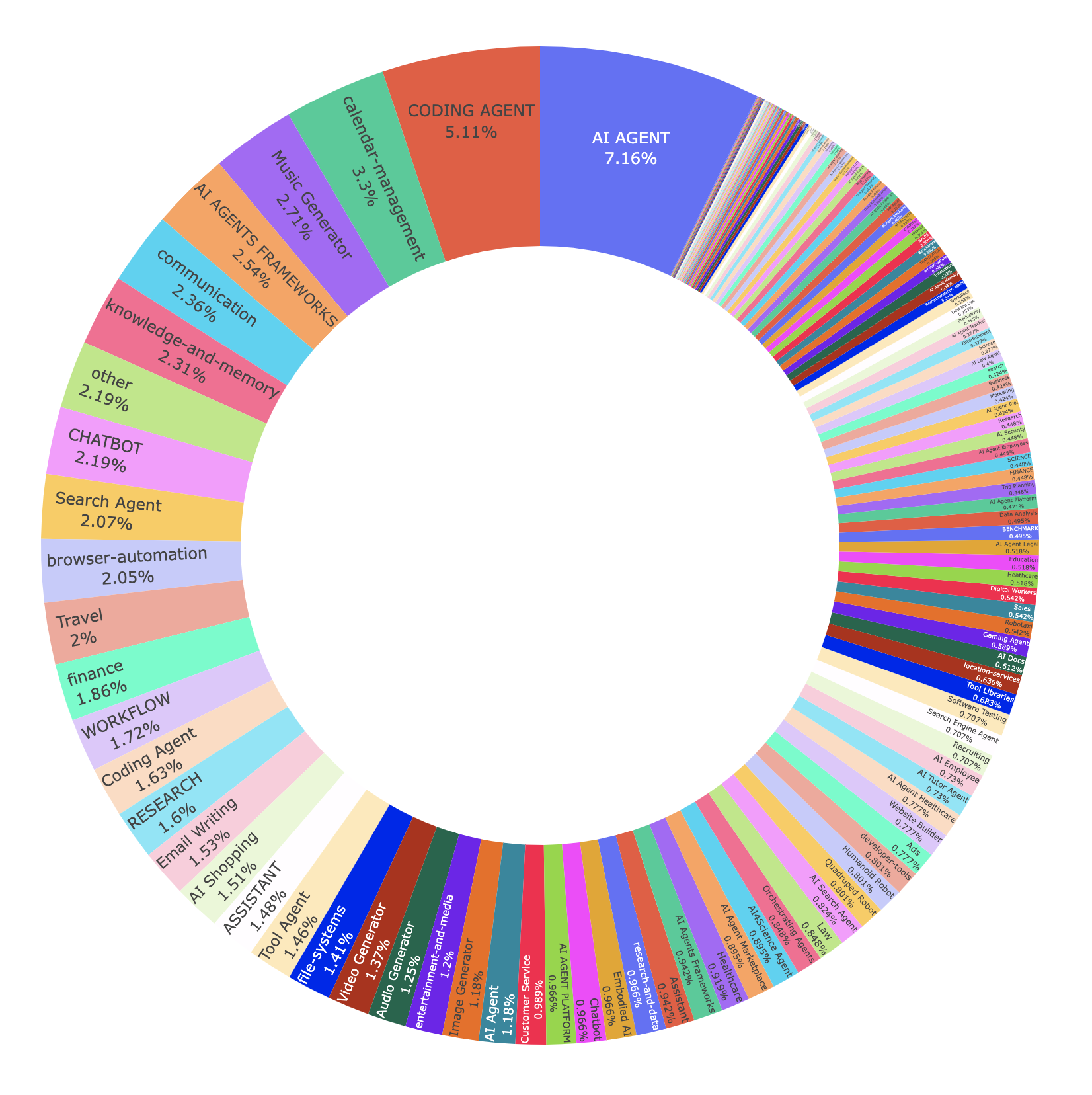
We would like to help developers and end users within the lifecycle of AI agent development. From the registration, deployment, Agent router, API calling, metric/traffic tracking, and finally to the stage of moneyterization from your AI Agent. Anyone can submit their AI agents card information, code, APIs, pricing plans to the public registry, just like your submit a paper to arxiv.org and submit models to huggingface.co.
News:
- OneKey Gateway is Live, Register your API to AI Agent marketplace using agtm, Distribute as as CLIs/MCPs/Skills 10x faster.
- Agent & MCP Deployment Pipeline is Live: Support deployment, customized URL & Domain Verificationis: Deploy your nodejs/python agent/mcp code and get free subdomain project *.aiagenta2z.com/project_name, Deployment Workspace and Document.
Main Features
- AI Agent A2Z Middleware(Deployment, Host,Payment): Deploy your pyhon/nodejs agent/mcp code and get free subdomain Live URL
*.aiagaenta2z.com/project. Get More traffic and earn credit by distribute to communities (OpenAI Apps SDK, Claude MCPs, etc. ) Doc - AI Agent Registry: Support CLIs/Skills/MCPs sub registry, you can submit your AI Agent’s meta to the Official AI Agent Marketplace Registry directly on website or using
agtmpackage. After submitting your AI Agent meta and approval, community will find your AI Agent in each categories. We also host available submission from various agent store or build in any infrastructures, such as OpenAI Apps SDK, Claude MCPs, etc. - AI Agent Search Engine and Search API: Users are able to search and explore your AI Agent through AI Agent Search Engine and you can also access the AI Agent Meta Index through Search API and MCP servers also.
- OneKey Gateway: Doc AI Agent Gateway to Commercial APIs, Skills, MCPs and more using just one access key for 30+ categories APIs for most benefits.
- Marketplace Domain Verification: We support subdomain verification for various platforms, such as OpenAI, WeCom, WeChat, DingTalk, etc.
- AI Agent Monetization: Getting payment account for your AI Agent is not easy, we provides Stripe, Alipay, Credit card payment methods based on a unified credit charging system and and you can gain credits in your billing account from users’ request. You can purchase datasets, call LLM and commercial MCPs (Google Maps, Google Search, etc) and withdraw.
- Dataset for Research: We provide full snapshot of AI Agent Marketplace dataset periodically back to the community on Huggingface, so researchers can track the growth.
- Agtm: Agtm CLI refers to “agent manager” cli, unifies skill management, agent registration, marketplace search, and provider CLI support, use with Claude Code/Codex/Gemini-CLI.
AI Agent Marketplace and Search Engine
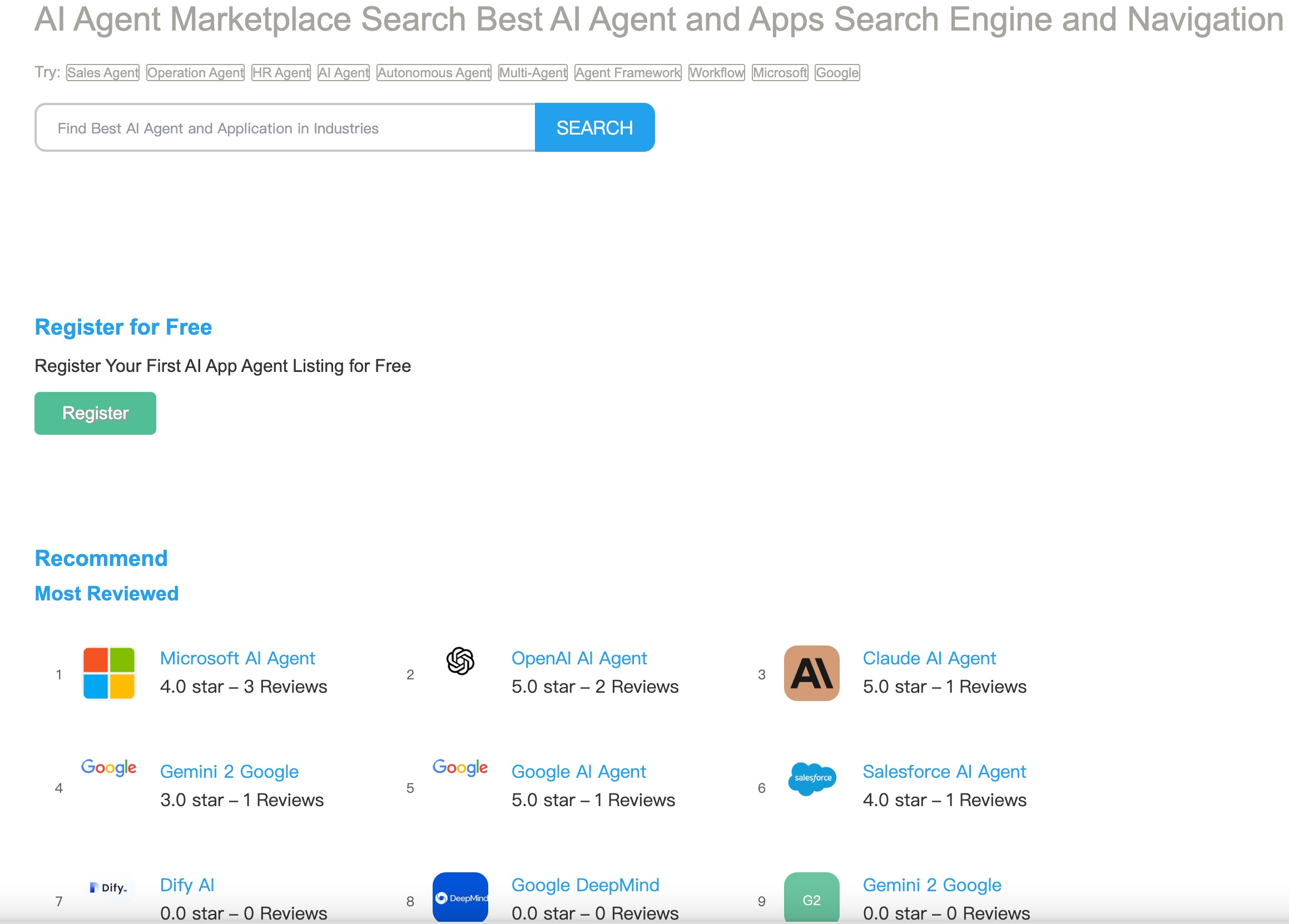
AI Agent Registration
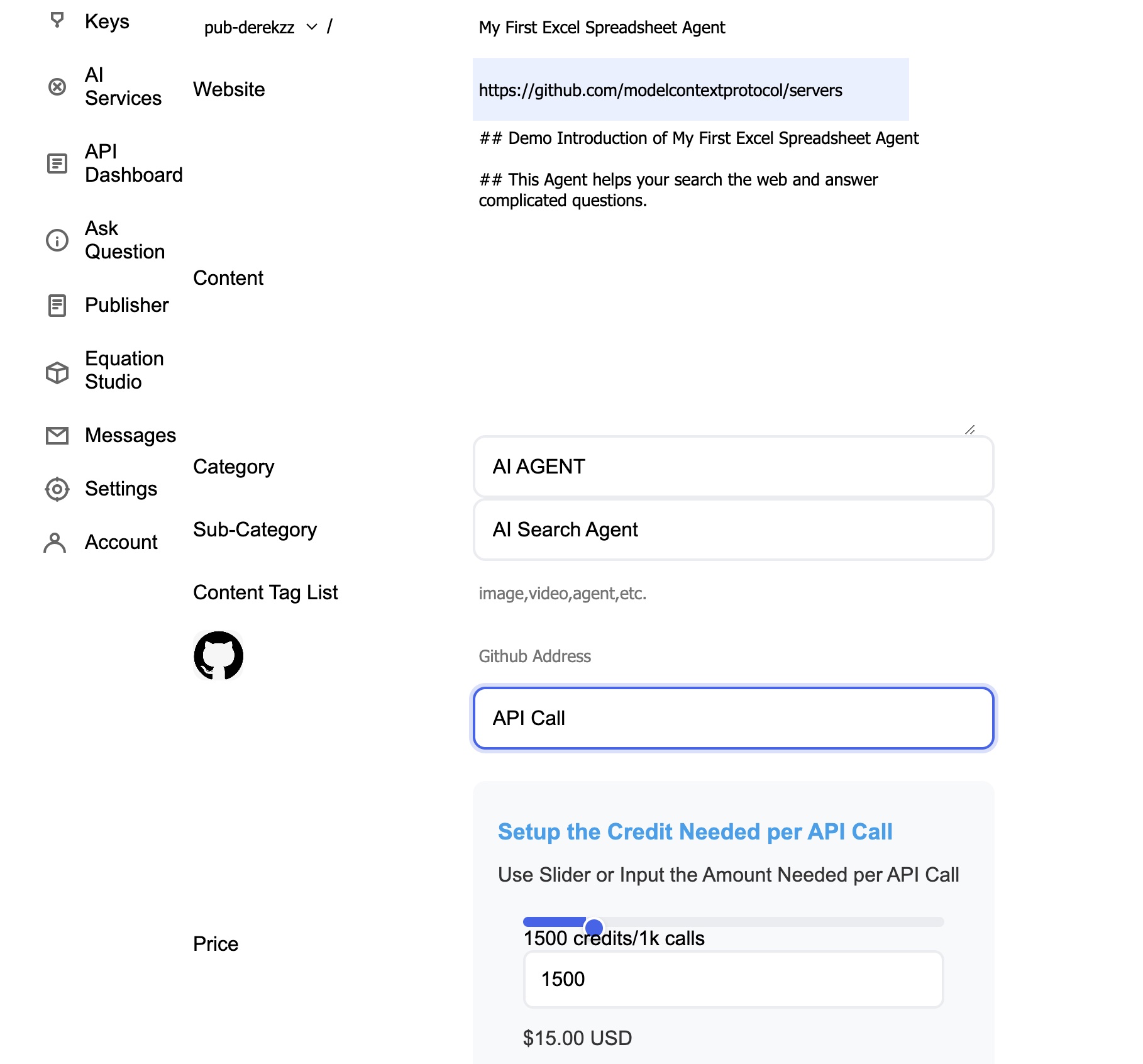
AI Agent Calls Credit Usage
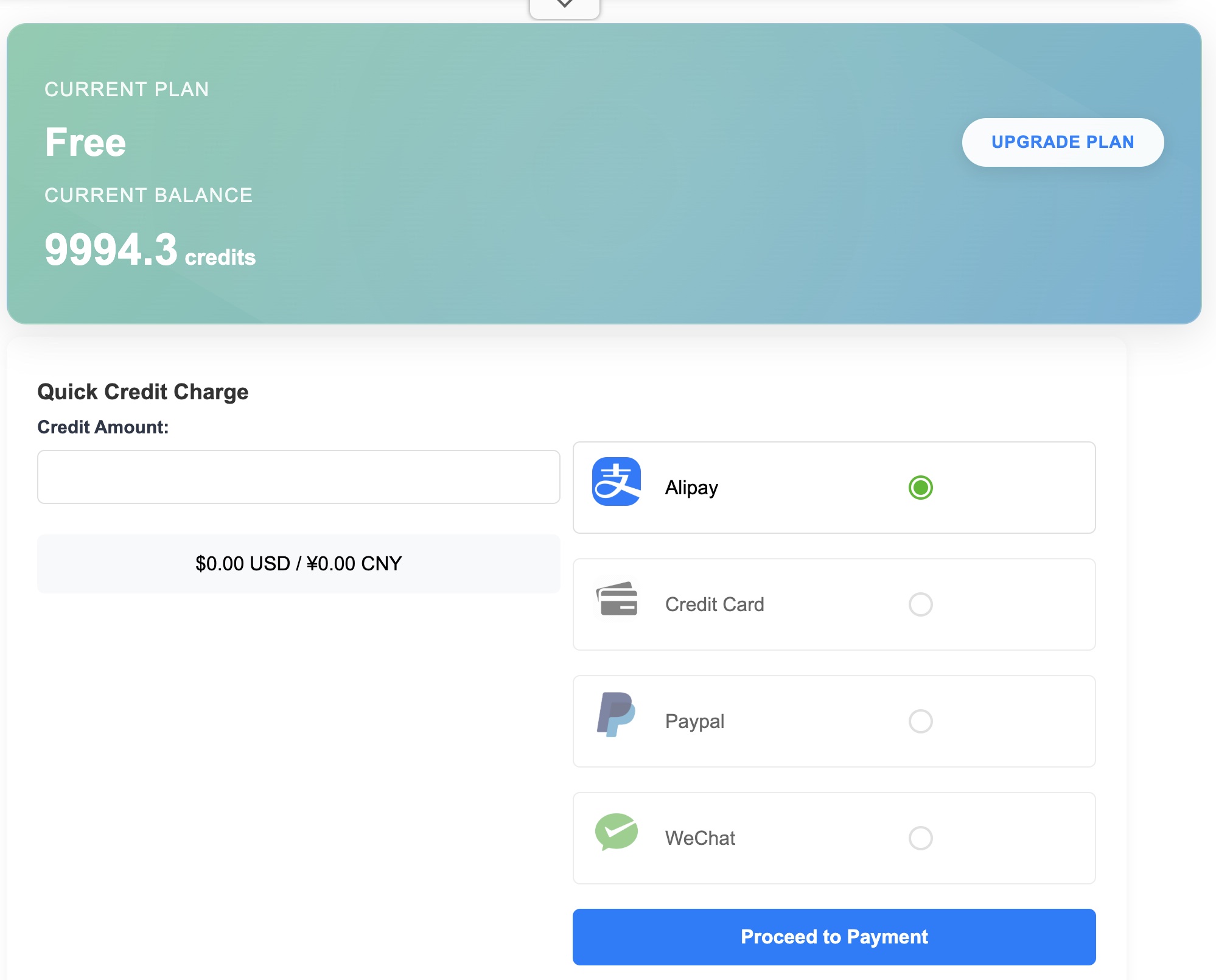
Agent API Dashboard
OneKey Router
Users Genunie Reviews
Short Cut to AI Agent Marketplace Markdown
Usage
1. AI Agent A2Z Middleware(Deployment, Host,Payment):
Deploy your pyhon/nodejs agent/mcp code get free subdomain Live URL *.aiagaenta2z.com/project. Get More traffic and earn credit by distribute to communities (OpenAI Apps SDK, Claude MCPs, etc. ) Doc
Demo Deployed Agent and Apps
| Live URL | Description | Website |
|—————————————————————–|————————————————————————————————————————————————————————————————————–|——————————————————————————————————|
| derekzz.aiagenta2z.com/fortune-compass-agent/mcp | A Fortune Telling Agent ChatGPT Apps Deployed Live | Website |
| jjjmc.aiagenta2z.com/perplexity_agent/mcp | Perplexity API Based Deep Research Agent | Website |
| https://agent.deepnlp.org/agent/craftsman-agent/craftsman-agent |  Craftsman-Agent generate Lego/Minecraft/Tesla Car Wrap 3D builds | GitHub|Website |
2. AI Agent Registry
See detailed Doc registry.md for usage
List of Methods that you can register your AI agent. Recommended method using the Website and agtm package.
| method | usage |
|---|---|
| Website | Submit and list your AI Agent meta using the website Submit official AI Agent registry Web |
| CLI | Command Line agtm upload --github or agtm upload --config ./agent.json |
| python | Install packages pip install ai-agent-marketplace |
| nodejs | Install packages npm install -g @aiagenta2z/agtm |
CLI
Install the command line using pip or nodejs first, Get access key at Marketplace API Keys
export AI_AGENT_MARKETPLACE_ACCESS_KEY="{your_access_key}"
agtm upload --github https://github.com/AI-Hub-Admin/My-First-AI-Coding-Agent

## upload from json file or yaml file
agtm upload --config ./agent.json
agtm upload --config ./agent.yaml
3. AI Agent Search Engine and Search API:
See detailed Doc search.md for usage
Example usage
agtm search --q 'coding agent'
agtm search --id 'google-maps/google-maps'
4. OneKey Gateway
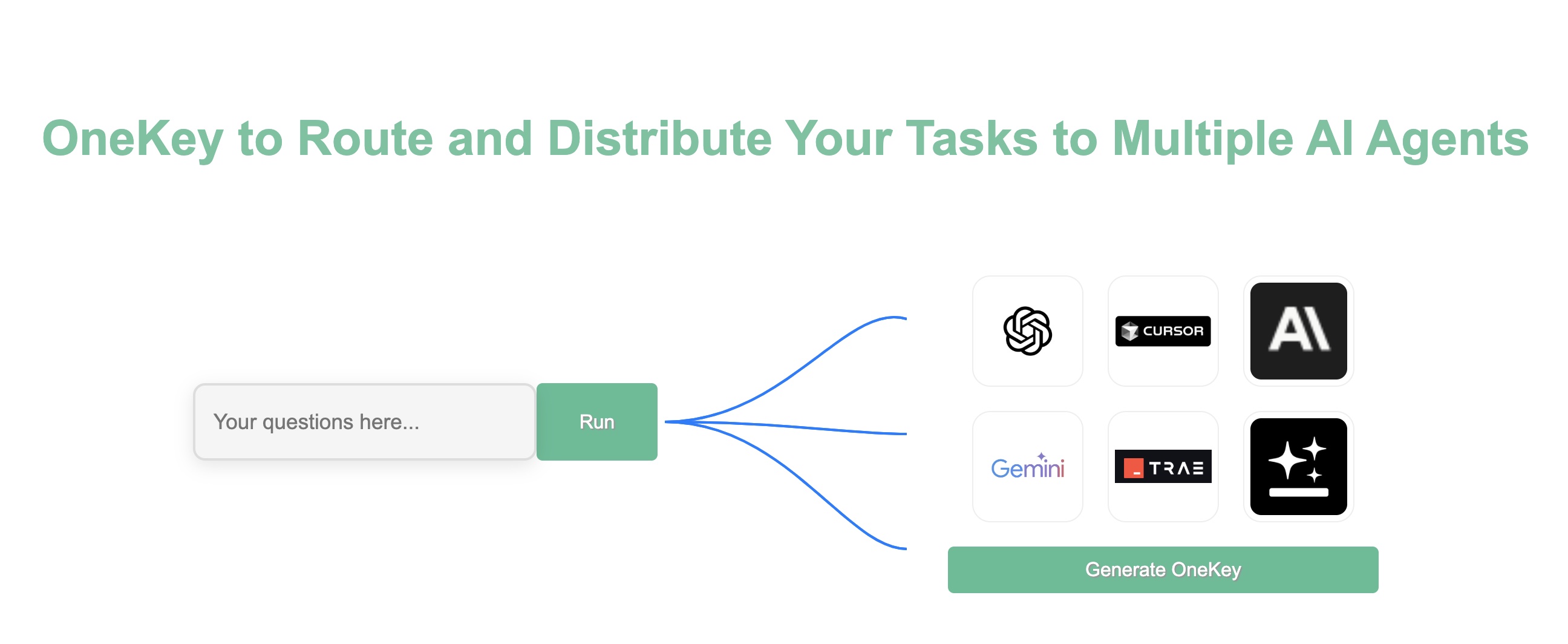
OneKey Gateway now supports use one access key to use 30+ categories commercial APIs, see for Supported APIs list. Also, devs can ship their APIs as various agent formats 10x faster, simply register your API to OneKey Agent Gateway and distribute as CLIs,Skills,MCPs, etc.
Ranking Top Routed Agent & MCP Ranking
npx onekey agent <unique_id> <api_id> <data_json|@file> [--timeout <ms>]
npx onekey mcp <server_name> [--name config_name] [--timeout <ms>]
npx onekey llm --provider <provider> --model <model> --messages <json|@file> [--temperature <num>] [--response-format <format>] [--options <json|@file>] [--timeout <ms>]
npx onekey llm --payload <json|@file> [--timeout <ms>]

# examples
npx onekey agent google-maps/google-maps maps_search_places '{"query":"New York City Italian Restaurants"}'
5. Traffic, API Usage Tracking, Monetization
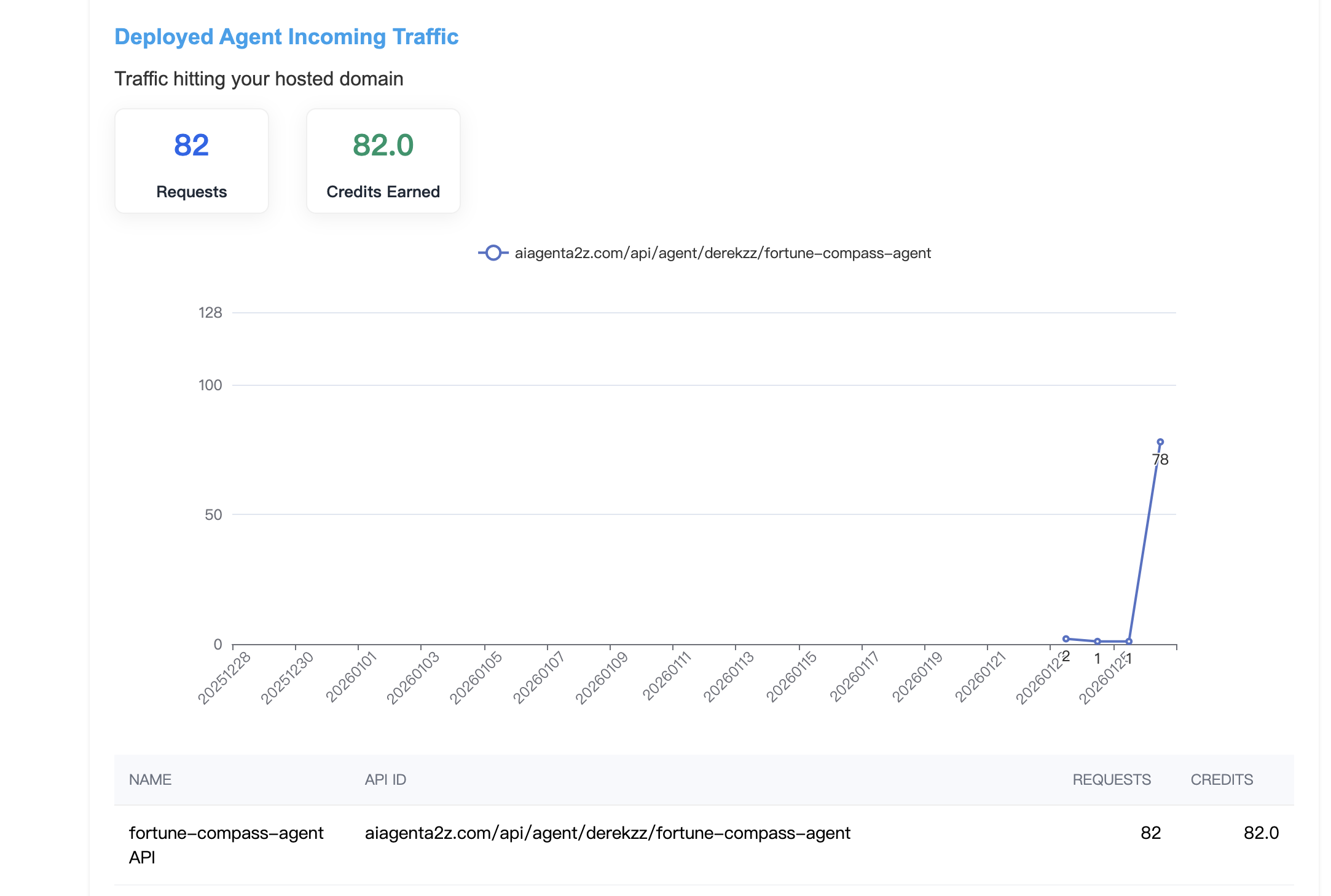
For the deployed AI Agent and OneKey Gateway routed API, you can also check your data in API Dashboard, including the APIs requests and credit you consumed, and credits you earn from others people’s usage of your deployed AI Agent.
Key Metrics
Some of the key metric that DeepNLP AI Agent Marketplace monitors include:
- API Calling
- Bing/Google search result ranking
- IOS Android App Store Ranking
- Github Repo Ranking
- etc
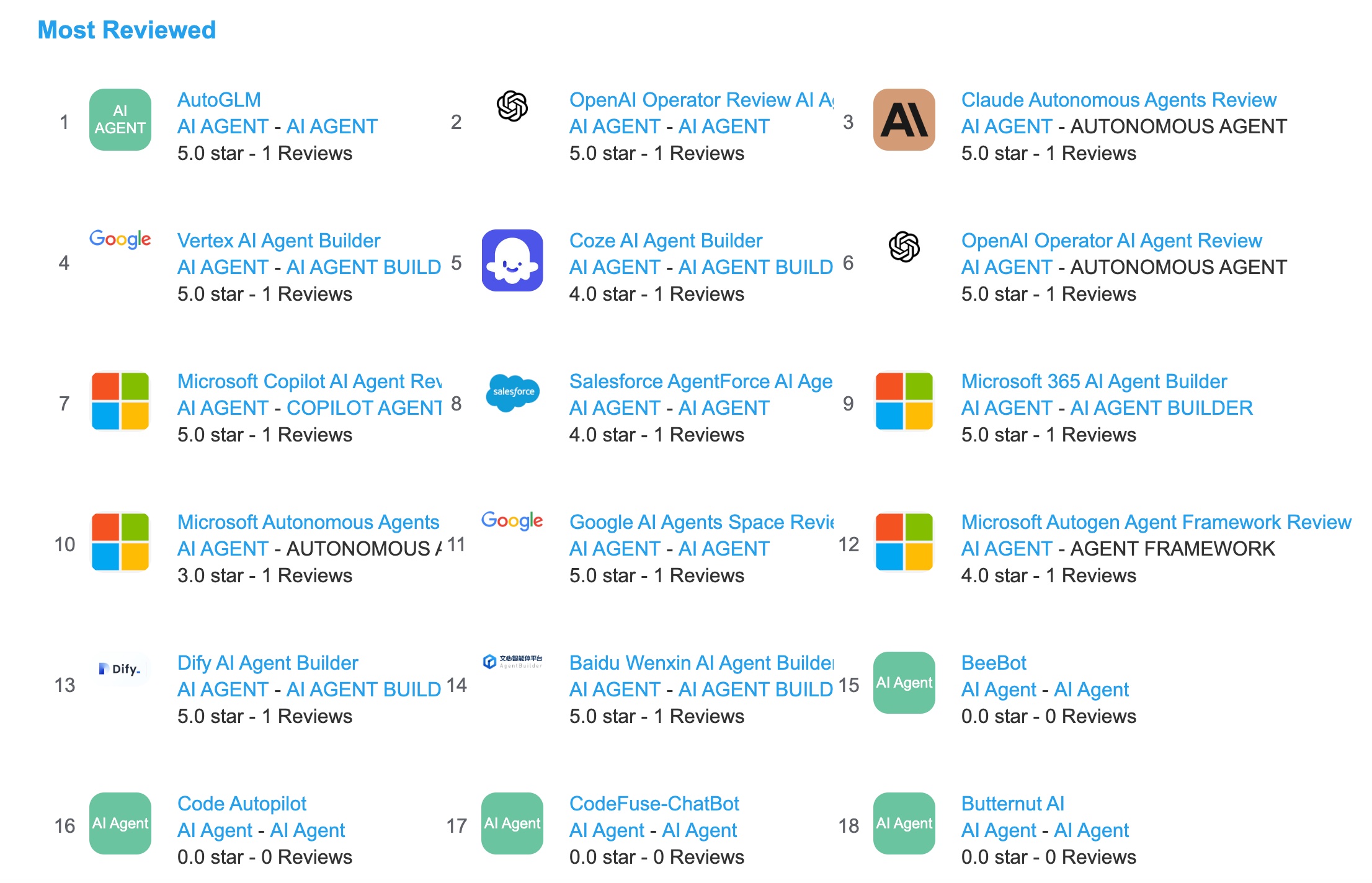
You can visit DeepNLP AI Agent Marketplace and Directory to find more.
Search Ranking Performance
Suppose you want to find out some suitable AI Employees which can help you write reports or emails, schedule meeting, write codes, etc. You may use Google or Bing to search keywords like “AI Agent Employees”, “Report Writing Agents”, “Coding Agents”, etc. And DeepNLP AI Agents Marketplace helps you monitor the AI Agents search results ranking. You can navigate to the “Email writing” tab of the AI Agent Directory and see the top reviewed AI Agents and its latested Bing Search Ranking.
And you can navigate the Email Writing AI Agents Directory and find out some top rated AI Agents in Email Writing such as
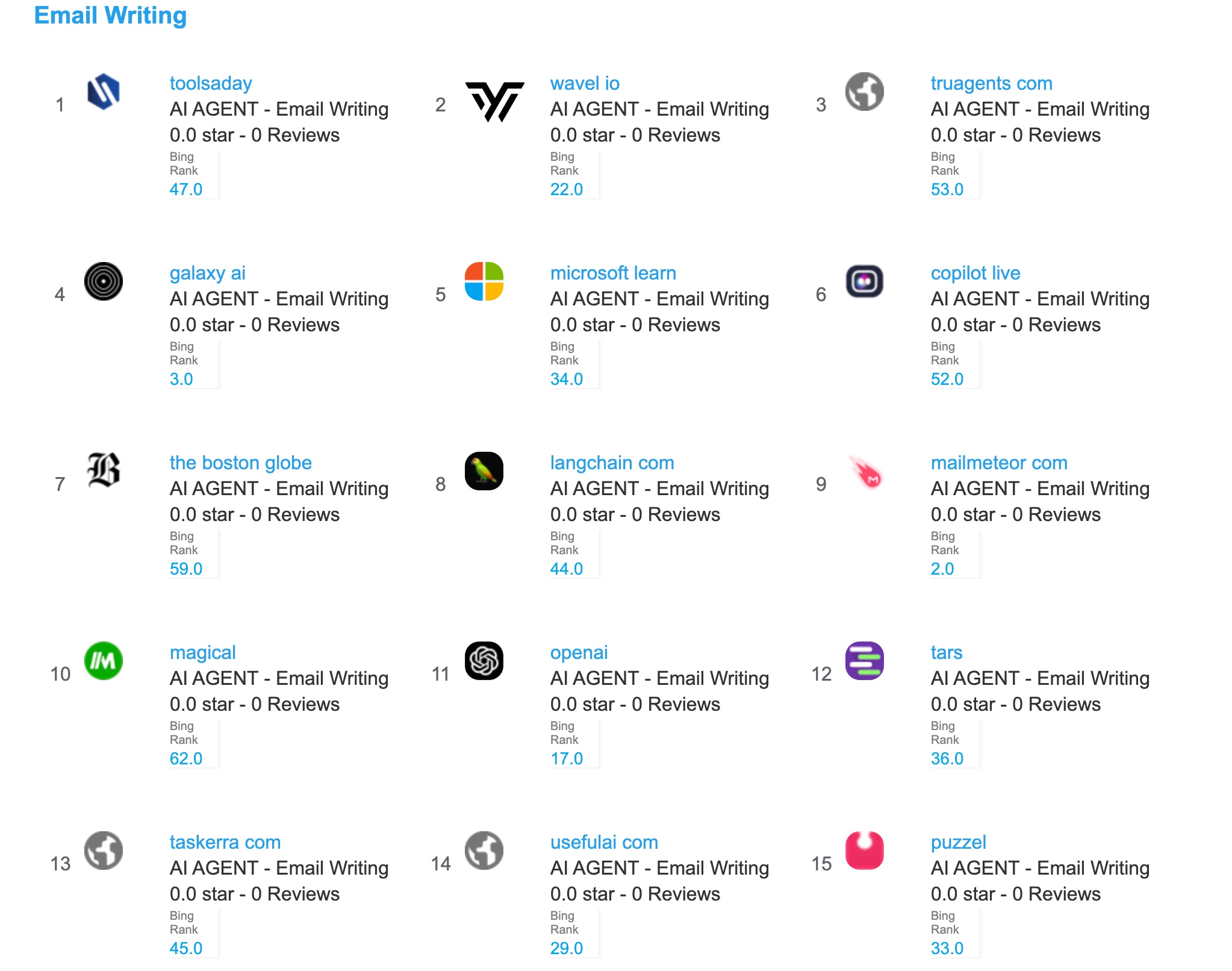
-
mailmeteor.com Bing Search Rank 2.0
-
galaxy.ai Bing Search Rank 3.0
6. Domain Verification
AI Agent A2Z Agent Platform provides subdomain verification. You can copy and paste the code and add a new verification records. E.g. ChatGPT App requires users to submit the MCP urls at the same time verify they own the domains.
| App | Verification URL |
|---|---|
| ChatGPT App Store | https://{username}.aiagenta2z.com/.well-known/openai-apps-challenge |
| MCP Official Registry | https://{username}.aiagenta2z.com/.well-known/mcp-register-challenge |
| WeCom (Tencent) | https://{username}.aiagenta2z.com/WW_verify_xxxxxx.txt |
| https://{username}.aiagenta2z.com/MP_verify_xxxxxx.txt | |
| DingTalk | https://{username}.aiagenta2z.com/verify_xxxxxx.txt |
On the ChatGPT App Manage Page (https://platform.openai.com/apps-manage), you can submit your AI Agent by filling the form. You need to prepare a MCP Server URL (e.g. https://derekzz.aiagenta2z.com/fortune-compass-agent/mcp) and copy and paste the verification code under the file path (https://derekzz.aiagenta2z.com/.well-known/openai-apps-challenge).
You can go to the Domain Verification tab of AI Agent A2Z Deployment (https://deepnlp.org/workspace/deploy) platform.
Fill the form of openai-apps-challenge with the code on the platform. Then click Verify Domain to add a record.
Please wait a while for the record to work. If you want to change the content, just add a new record and the content will be overridden.
Contributing
You are welcome to contribute to the AGENT.md to include links and introduction to your AI Agent. Please follow the contributing guideline CONTRIBUTING.md.